counted

← All guides

Replacing Splitwise: 7 alternatives compared

Free Splitwise stops at 4 expenses a day, shows ads, asks everyone for an account and does not encrypt your expenses on your device. Here are seven apps to replace it without a subscription: what each one really does, what it does not, and which group it is made for.

We make Counted. It tops this list, and its entry also says what it does not do. Counted vs Splitwise, point by point

Updated 6 November 2026

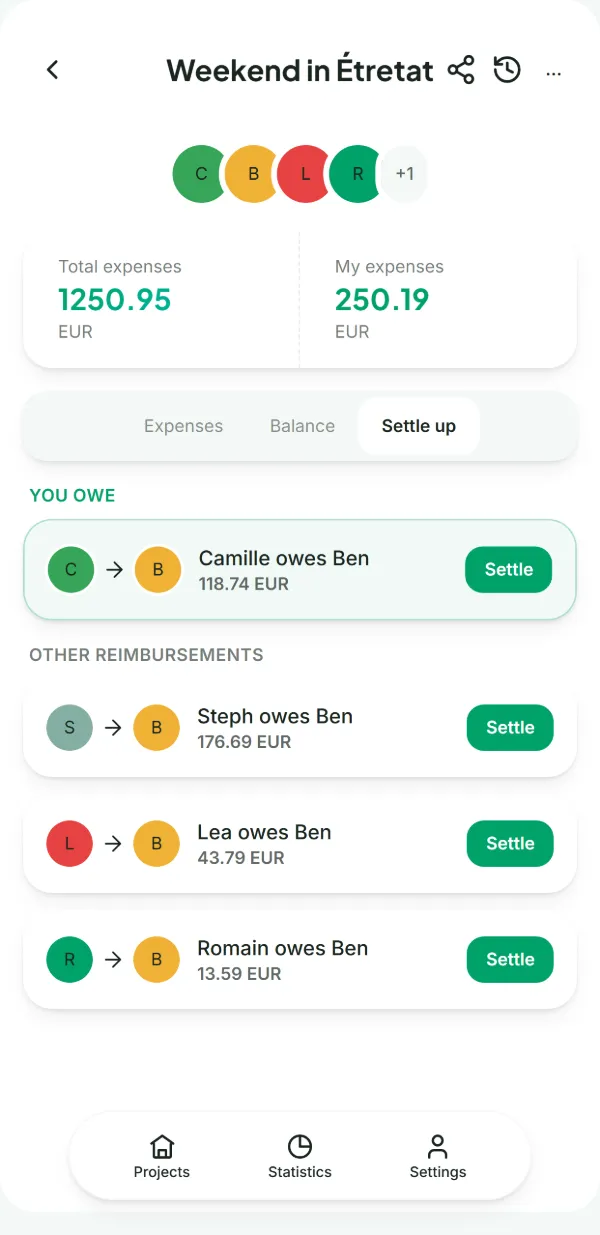
Counted’s Repayments tab: Camille owes Ben €118.74, and three more transfers settle the whole group.

Why switch

Splitwise does a lot, but its free version keeps a good part of it for Pro. Its help pages, its Pro page and its privacy policy say four things that give people pause.

4 expenses a day

Its help pages say it plainly: a free account can add at most 4 expenses a day. On the evening everyone enters their receipts, that is where it gets stuck. Pro lifts the limit, with a subscription.

Your expenses are not encrypted

Its privacy policy talks about encryption to protect your session, not your expenses: group names, amounts and descriptions can be read on its servers, in the United States and elsewhere.

Ads and analytics

The free version shows ads. Its policy provides for web and mobile analytics providers, analysis of user behaviour, cookies and web beacons.

The essentials are behind Pro

Currency conversion, charts, receipt scanning and search are reserved for Pro. And every member of the group has to create an account.

At a glance

The five questions a group asks before switching apps.

App No account No ads Web App En­cryp­ted
Counted Yes Yes Yes Yes Yes
Tricount Yes Yes Not stated Yes No
Spliit Yes Yes Yes Partly: iPhone only No
Splid Yes Not stated Not stated Yes Not stated
Settle Up Not stated Partly: ad-free with Premium Yes Yes Not stated
Splitser Not stated Not stated Yes Yes Not stated
Kittysplit Yes Yes Yes Yes Not stated

Yes Partly or paid No Not stated by the publisher

Who can read your expenses?

Your group’s books say a lot about you: who you live with, where you travel, how much you spend. There are two ways to store them.

Stored in plain text

“Dinner at Léa’s, €42, paid by Hugo”

This is what the server keeps when an app does not encrypt on your device. The publisher can read it, so can its service providers, and a leak exposes it as it is.

Encrypted on the device

k9Vb2LrC7+Fl8hdeLcYp84h7Bu7dfQoDqS5bGBwLk2bPa9oKA

This is what Counted’s server keeps. The key stays in the group link, after the # sign: browsers never send that part to the server.

The journey of an expense, step by step →

The seven apps, one by one

Our app · Servers in Germany · Web, Android, iPhone

Counted

For a group that wants to keep its books to itself, with no limit and no subscription.

  • Encrypted on your device, and nobody has to create an account
  • No expense limit, no ads
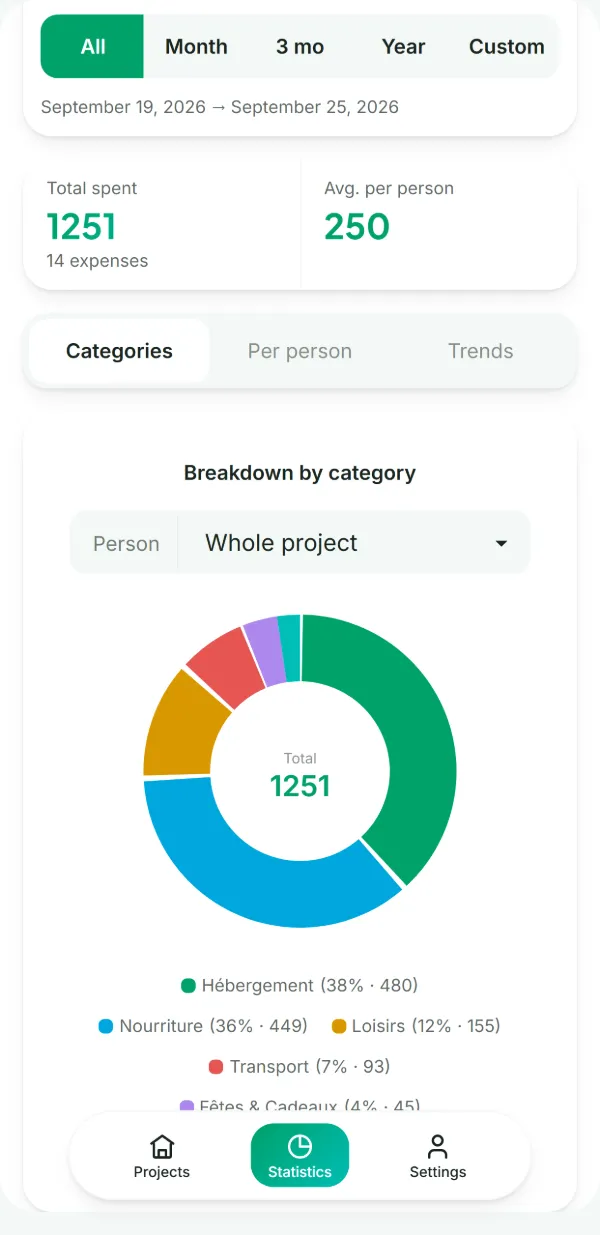
  • Over 150 currencies and statistics by category, free
  • CSV and JSON export, works offline
  • On mobile, receipt scanning that runs entirely on your phone
  • Does not import your Splitwise groups
  • No comments on an expense
  • No one-to-one debts outside a group
  • No built-in payments: the transfer happens outside the app
One key per group

Created on the device of the person who starts the group, never on our servers.

counted.fr/verify

The client code is public: you can check that a published release matches that code.

0 trackers

No ads, no analytics, and no third-party script is loaded.
bunq bank, Netherlands · Android and iPhone

Tricount

For a group that wants to stay free and bring its Splitwise expenses along.

  • Free, no ads, no limits
  • Imports your expenses from Splitwise
  • No encryption mentioned, analytics provided for
  • CSV and PDF export removed from the app

It belongs to the bank bunq, which offers its card and payment requests in the app. Tricount alternatives →

Open source · Browser and iPhone

Spliit

For a group that wants a free, open-source tool, even if that means hosting it themselves.

  • Free, no account, no ads
  • Open code under the MIT licence, which you can install on your own server
  • No Android app
  • Groups stored on the server, only the traffic is encrypted

The iPhone app is a full rewrite in SwiftUI and requires iOS 26. spliit.app ↗

Munich · Android and iPhone

Splid

For a group that wants a simple app, with no sign-up.

  • No sign-up
  • Works online or offline
  • No web version announced
  • Nothing is said about encryption

Paid options, such as Splid Plus, are sold in the app; its pages do not say what they unlock. splid.app ↗

Team in Czechia · Web, Android, iPhone

Settle Up

For a flatshare or a couple who share costs all year round.

  • Web, Android and iPhone
  • Your friends see the balance in the browser, without installing anything
  • Ads without Premium
  • Recurring expenses only with Premium

Premium comes as a subscription, or as a one-off purchase for a single group. settleup.app ↗

Netherlands · Web, Android, iPhone

Splitser

For a Dutch or Flemish group that pays each other back with iDEAL or Bancontact.

  • Direct repayment with iDEAL or Bancontact
  • Participants can be added without having the app
  • Nothing is said about encryption

In the Netherlands and Flanders, the same app is called WieBetaaltWat: your friends may know it by that name. splitser.com ↗

Berlin, since 2012 · Web, Android, iPhone

Kittysplit

For a group of nine people or fewer that wants a link and nothing else.

  • Fully featured in the browser, no account
  • Independent, no ads
  • Paid beyond 9 people
  • Currencies and receipt photos as a paid option

The Super Kitty option costs €2.99, once per group, and adds currency conversion and receipt photos. kittysplit.com ↗

When to stay on Splitwise

If these points matter more to your group than the limit or privacy, Splitwise will suit you better.

Your whole group already uses it

Switching apps means everyone has to follow. If nobody runs into the limit, there is no rush.

You discuss expenses in comments

Splitwise has comments under each expense. Counted keeps a history of changes, without a discussion thread.

You have one-to-one debts

Splitwise tracks what a friend owes you outside any group, and splits by percentage.

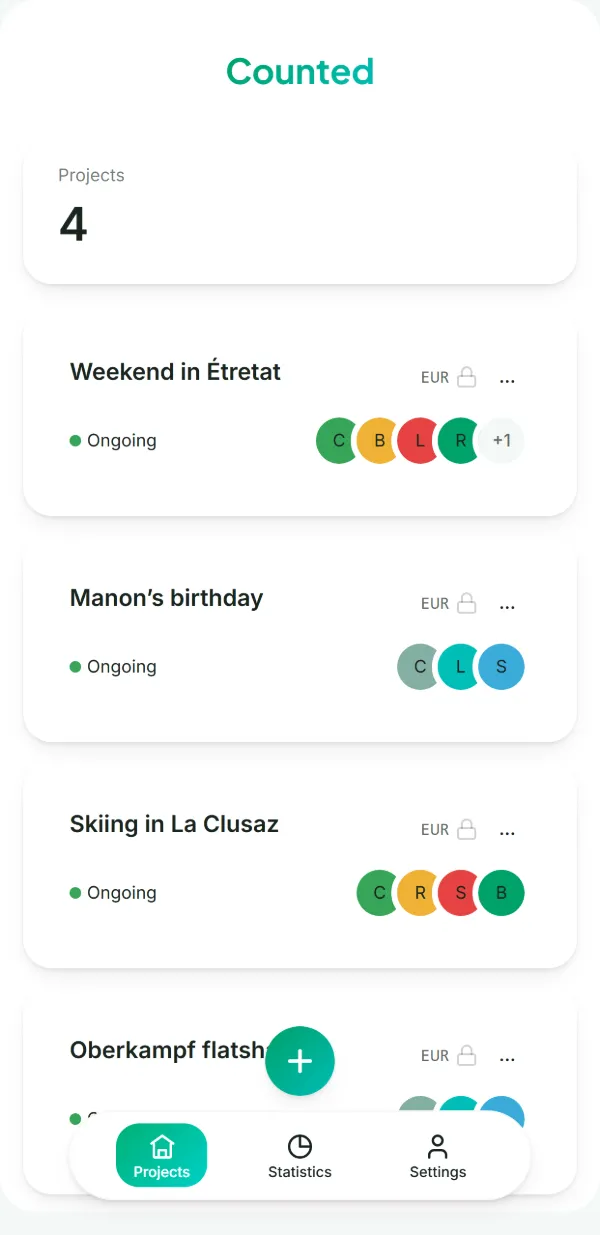
The project list: a weekend away, a birthday, a ski trip and a flat share.

Switch to Counted in three steps

  1. 1

    Settle the group in Splitwise

    Everyone pays back what they owe, so you start again from zero.

  2. 2

    Export the history to CSV

    From the Splitwise website, for free, to keep a record.

  3. 3

    Create a Counted project and share the link

    Nobody has to create an account, and there is no expense limit.

The Splitwise limit in detail →

Frequently asked questions

How many expenses a day can you add on free Splitwise?

Four. Its help pages put it this way: a free account can add at most 4 expenses a day. The Pro subscription lifts the limit.

Can you export your Splitwise data?

Yes, for free: the Splitwise website exports each group to CSV.

Which apps work without an account?

Counted, Tricount, Splid, Spliit and Kittysplit. Settle Up and Splitser let you add participants who do not have one. Splitwise requires an account for every member.

Which free alternative has no expense limit?

Counted and Tricount have none. Kittysplit becomes paid beyond 9 people. For the others, their official pages give no limit.

Leaving Splitwise?

Create a project and share the link: nobody has to create an account, and you can add as many expenses as you need.

Read next

Sources

Last checked: 6 November 2026. Splitwise is a trademark of Splitwise, Inc.; Counted is not affiliated with any of the publishers mentioned.

We make Counted. Spotted a mistake in this guide? Tell us.